
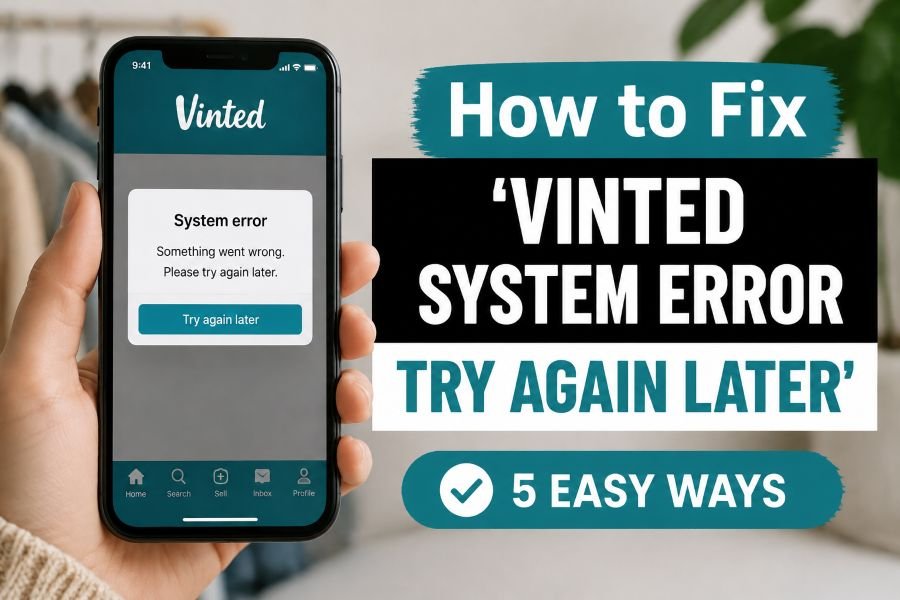
How to Fix ‘Vinted System Error Try Again Later’ (5 Easy Ways)
Introduction
Selling clothes on Vinted is usually quick and simple. You upload a photo, add your description, choose your price, and wait for buyers.
But sometimes, things stop working.
You may see the frustrating message:
“Vinted System Error. Try Again Later.”
This error can appear when listing an item, buying something, sending a message, or completing a payment.
For UK resellers, this can be stressful. A delayed listing means missing buyers. A checkout problem can mean losing a sale. A shipping issue can slow down your whole side hustle.
The good news?
Most Vinted errors are easy to fix.
This guide explains the most common reasons behind the error. It also shares five simple solutions you can try today.
Whether you sell vintage clothing, high-street fashion, trainers, or your old wardrobe pieces, these fixes can help you get back online quickly.
Why Does Vinted Say “System Error Try Again Later”?
Before fixing the problem, it helps to understand why it happens.
The error usually appears because of a technical issue. It does not always mean something is wrong with your account.
Common reasons include:
- Vinted server problems
- Poor internet connection
- Outdated app version
- App cache issues
- Payment problems
- Temporary account glitches
- Too many actions happening quickly
Sometimes Vinted itself has problems.
Millions of users across Europe use the platform daily. A sudden increase in activity can create temporary issues.
This is common during:
- Weekend shopping periods
- Seasonal sales
- Popular fashion trends
- Major app updates
Fix 1: Check If Vinted Is Down
The first thing to do is check whether Vinted is having problems.
If the whole platform is down, changing your phone settings will not help.
Look for signs like:
- Listings not loading
- Messages not sending
- Images failing to upload
- Payments not processing
- The app constantly refreshing
You can check:
- Vinted’s official social channels
- Downtime checking websites
- User comments online
If many sellers report the same issue, wait.
Usually, these problems are fixed within a short time.
Expert Tip
Experienced UK sellers know not to panic during platform issues.
If you have a trending item ready to list, save everything in your notes first.
Keep:
- Item title
- Description
- Measurements
- Brand details
- Price idea
This prevents losing your work during an app crash.
Fix 2: Update Your Vinted App
An old app version can cause unexpected errors.
Vinted regularly releases updates. These updates fix bugs and improve performance.
Using an outdated version may cause:
- Upload failures
- Login problems
- Payment errors
- Messaging issues
How To Update Vinted on Your Phone
For iPhone:
- Open the App Store
- Search for Vinted
- Tap Update
For Android:
- Open Google Play Store
- Search for Vinted
- Select Update
After updating:
- Close the app
- Restart your phone
- Open Vinted again
Try your action again.
Many sellers fix the issue this way.
Fix 3: Clear App Cache and Restart
Your phone stores temporary files to make apps faster.
Sometimes these files become corrupted.
This can create strange errors.
Clearing the cache gives the app a fresh start.
Android Users
Try these steps:
- Open Settings
- Go to Apps
- Select Vinted
- Tap Storage
- Choose Clear Cache
iPhone Users
Apple does not offer a direct cache button.
Instead:
- Delete the Vinted app
- Restart your phone
- Reinstall Vinted
Your account information will remain safe.
Just make sure you remember your login details.
Fix 4: Check Your Internet Connection
A weak connection can trigger Vinted errors.
This often happens when:
- Uploading clothing photos
- Processing payments
- Sending large messages
Try switching your connection.
For example:
- Move from mobile data to Wi-Fi
- Turn airplane mode on and off
- Restart your router
A strong connection is especially important when uploading multiple images.
High-quality fashion photos use more data.
A slow connection can interrupt the upload process.
UK Seller Tip
Avoid uploading lots of listings while travelling on weak mobile signal.
Save your drafts first.
Then publish them when you have reliable Wi-Fi.
This is useful for sellers managing large wardrobes or charity shop finds.
Fix 5: Log Out and Reinstall Vinted
Sometimes your account session becomes stuck.
Logging out can refresh the connection between your phone and Vinted servers.
Try this:
- Open Vinted
- Go to your profile
- Select Settings
- Log out
- Close the app
- Log back in
If the error continues:
- Remove the app
- Install it again
- Sign in
This often solves persistent glitches.
Common Vinted Errors and Quick Fixes
Vinted Cannot Upload Photos
Possible causes:
- Large image files
- Poor internet
- App bug
Try:
- Reducing photo size
- Restarting the app
- Updating Vinted
Vinted Payment Error
Possible causes:
- Bank security checks
- Expired card details
- Temporary payment issue
Try:
- Checking your payment details
- Using another payment method
- Contacting your bank
Vinted Messages Not Sending
Possible causes:
- Server issues
- Connection problems
- Temporary restrictions
Try:
- Waiting a few minutes
- Restarting the app
- Checking your account status
Does Vinted System Error Mean Your Account Is Banned?
Usually, no.
A system error normally means a technical problem.
A banned account usually shows a different message.
Signs of an account restriction include:
- A clear warning message
- Limited account access
- Email notification from Vinted
If you are unsure, check your inbox.
Vinted normally explains account actions through email.
Contact Vinted Support
If nothing works, contact Vinted support.
Before contacting them, collect information.
Include:
- Screenshot of the error
- Your device type
- App version
- What action caused the problem
For example:
“I receive the system error when uploading a new listing.”
Clear details help support solve problems faster.
Expert Tip: How UK Resellers Avoid Vinted Problems
After selling thousands of pounds worth of clothing online, experienced sellers usually follow simple habits.
Keep Listing Information Saved
Never write your entire listing directly inside the app.
Keep descriptions saved elsewhere.
This protects your work.
Take Photos Before Listing
Create a folder with:
- Front images
- Back images
- Brand labels
- Size tags
- Condition details
This speeds up relisting.
Avoid Too Many Actions Quickly
Uploading dozens of items within minutes can sometimes trigger temporary issues.
Space out your activity.
Use Reliable Shipping Options
UK buyers often prefer convenient delivery choices.
Popular options include:
- Evri parcel shops
- Yodel services
- Royal Mail
- InPost lockers
Choosing easy delivery options can improve buyer experience.
How To Prevent Future Vinted Errors
You cannot prevent every technical problem.
But you can reduce the chances.
Follow these habits:
- Keep the app updated
- Use stable Wi-Fi
- Restart your phone regularly
- Avoid uploading too many items at once
- Keep your account details updated
- Save important listing information
Small habits make selling smoother.
Final Thoughts
The “Vinted System Error Try Again Later” message can be annoying.
Especially when you are trying to make a sale.
But most problems are temporary.
Start with simple fixes:
- Check Vinted status
- Update the app
- Clear cache
- Improve your connection
- Reinstall the app
For UK fashion resellers, staying organised is the biggest advantage.
A few smart habits can save time and keep your side hustle running smoothly.
Keep your listings ready, your photos organised, and your parcels prepared.
Then a small technical issue will not slow you down for long.
FAQs
1. Why does Vinted show “System Error Try Again Later”?
Vinted usually shows this error because of app glitches, server issues, poor internet connection, or an outdated app version.
2. How can I fix Vinted System Error quickly?
Update the app, clear cache, check your internet, restart Vinted, or reinstall the app.
3. Does Vinted System Error mean my account is banned?
No. Most system errors are temporary technical problems and do not mean your account is banned.
Still seeing the Vinted System Error? Try these quick fixes and get back to selling today.
2 Comments